Author name: Vicky Chauhan

Nmap OS Detection Explained – How Firewall Affects OS Fingerprinting

Nmap is one of the most popular tools in networking and cybersecurity. One of its powerful features is Operating System Detection, commonly known as OS detection. This feature helps security professionals understand what type of system is running on a target machine. However, many beginners misunderstand how OS detection works. Nmap does not magically read the operating system from the server. Instead, it analyzes how a system behaves on the network. In this article, we will explain how Nmap OS detection works, what happens in the backend, and why enabling a firewall can confuse or break OS detection results. What Is OS Detection in Nmap? OS detection is a technique used by Nmap to guess the operating system of a target host. It attempts to determine whether the system is running Linux, Windows, macOS, or a network device like a router or firewall. Nmap does not rely on banners or login pages for OS detection. Instead, it studies the behavior of the system’s TCP/IP stack. Every operating system implements networking slightly differently. These differences become visible when the system responds to specially crafted network packets. Why OS Detection Is Important in Cybersecurity Knowing the operating system helps security teams understand: Attackers also use OS detection to plan targeted attacks. Defenders use it to reduce information leakage and harden systems. How OS Detection Works Behind the Scenes Nmap OS detection works using a method called TCP/IP fingerprinting. This means Nmap observes how a system responds to different types of network packets. The process looks simple, but a lot happens in the background. Step 1: Sending Multiple Test Packets Nmap sends a series of specially designed packets to the target system. These packets are not malicious. They are crafted to test how the operating system handles unusual situations. Each packet may vary in: Step 2: Operating System Responds The target system replies to these packets. The responses depend entirely on how the OS networking stack is implemented. For example: These differences act like fingerprints. Step 3: Fingerprint Matching Nmap collects all responses and compares them with its internal fingerprint database. This database contains known response patterns for thousands of operating systems and versions. If a close match is found, Nmap reports the most likely OS along with a confidence level. This is why OS detection is based on probability, not certainty. Why OS Detection Is Never 100% Accurate OS detection depends on clean and honest responses from the target system. In real-world networks, this rarely happens. Several factors can affect OS detection accuracy: Among these, firewalls play the biggest role. Practical Demo Concept: Firewall ON vs Firewall OFF A very effective and legal way to understand OS detection is to perform a lab test using your own system and a virtual machine. The goal is simple: When Firewall Is Disabled When the firewall is off: In this case, Nmap can observe: The fingerprint closely matches known operating systems. When Firewall Is Enabled Once a firewall is enabled, everything changes. Firewalls may: As a result: Sometimes Nmap may show multiple possible operating systems or fail completely. What This Teaches Us About Network Security This behavior proves an important cybersecurity lesson: Nmap does not detect operating systems directly. It reads network behavior. If behavior changes, the fingerprint changes. Firewalls act as filters that hide or distort system behavior. Attacker vs Defender Perspective From an Attacker’s View Attackers use OS detection to: When firewalls block fingerprinting, attackers lose valuable information. From a Defender’s View Defenders see OS fingerprinting as information leakage. Security best practices include: The goal is not invisibility, but unpredictability. Common Myths About OS Detection Understanding this clears many misconceptions. Why This Practical Demo Is Valuable for Learning This demo: It is ideal for students, cybersecurity learners, and content creators. Conclusion Nmap OS detection is a powerful feature, but it is not magic. It works by observing how systems behave on the network. Firewalls change that behavior. When behavior changes, fingerprints become unreliable. This is why OS detection results should always be treated as estimates, not absolute truth. Understanding this concept helps you think like a security professional, not just a tool user. Disclaimer: This article is for educational purposes only. Perform network scanning only on systems you own or have explicit permission to test.
DNS Explained Simply – How Domain Names Work Behind the Scenes

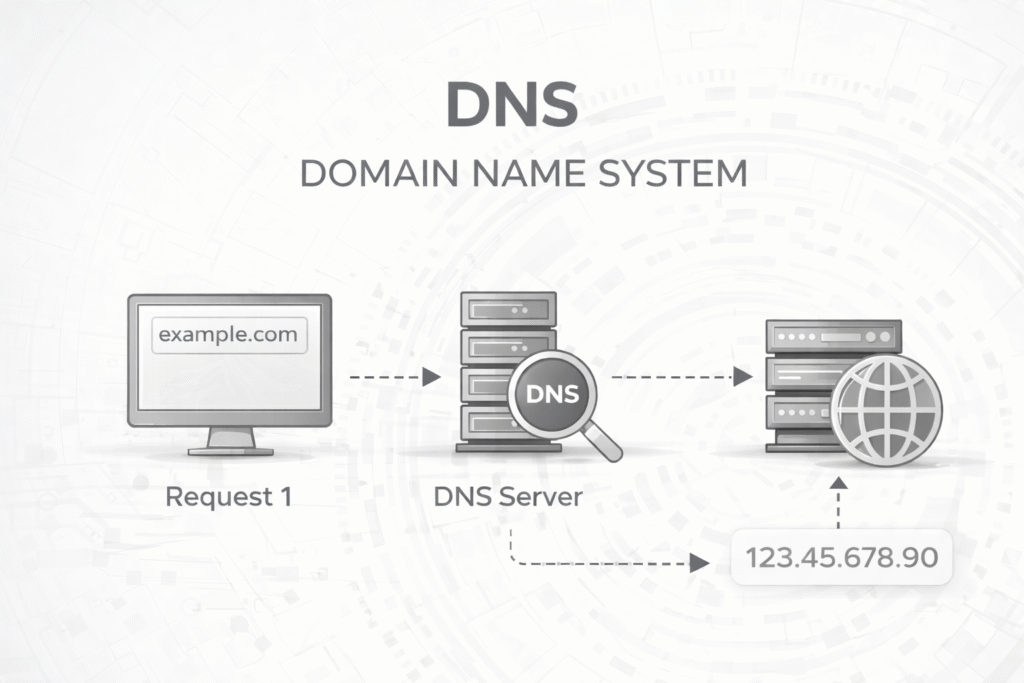
DNS, or Domain Name System, is one of the most important components of the internet. Every website you visit, every app you use, and almost every online service depends on DNS. Without DNS, the internet as we know it would not work. Most users type website names like google.com or facebook.com, but computers and servers do not understand domain names. They communicate using IP addresses. DNS acts as the bridge between humans and machines. What Is DNS? DNS stands for Domain Name System. Its main job is to convert human-readable domain names into machine-readable IP addresses. For example: When you type a website name into your browser, DNS tells your browser where that website is located. Why DNS Is Needed Imagine if you had to remember phone numbers instead of contact names. The internet would be very difficult to use if users had to remember IP addresses. DNS solves this problem by allowing humans to use names, while machines continue to communicate using numbers. In short: How DNS Works (Step by Step) When you type a website name in your browser, several steps happen in the background: All of this usually happens in milliseconds. Types of DNS Servers DNS works using multiple types of servers: Each server has a specific role in resolving a domain name. Common DNS Records DNS stores information in the form of records. Some common DNS records include: DNS in Cybersecurity DNS plays a critical role in cybersecurity. If DNS is not properly secured, attackers can manipulate it to redirect users to malicious websites. Common DNS-related attacks include: In such attacks, users believe they are visiting a legitimate website, but DNS sends them to a fake server controlled by an attacker. Example of a DNS Attack Imagine you type bankwebsite.com. If DNS is compromised: This attack happens without breaking passwords or encryption. It abuses trust in DNS. Why DNS Security Is Important DNS is often called the “phonebook of the internet”. If this phonebook is corrupted, everything breaks. Organizations protect DNS using: DNSSEC Explained Simply DNSSEC (DNS Security Extensions) adds cryptographic signatures to DNS records. It helps verify that DNS responses are authentic and not modified. DNSSEC does not encrypt data, but it ensures data integrity and authenticity. DNS vs IP Address DNS and IP addresses are closely connected but serve different purposes: DNS makes the internet usable for humans, while IP addresses make it usable for machines. Common DNS Misconceptions DNS only provides direction, not protection. Why Every Developer and Security Professional Must Understand DNS Many serious security issues start with DNS misconfigurations. Understanding DNS helps in: Conclusion DNS is a silent but powerful system that keeps the internet running. It works in the background, unnoticed, but any weakness in DNS can lead to serious security problems. Whether you are a developer, system administrator, or cybersecurity learner, understanding DNS is essential. The internet starts with DNS. Disclaimer: This article is for educational and awareness purposes only. Do not attempt unauthorized testing or attacks on systems you do not own or have permission to test.

Race Condition Vulnerability: A Complete Beginner-Friendly Guide

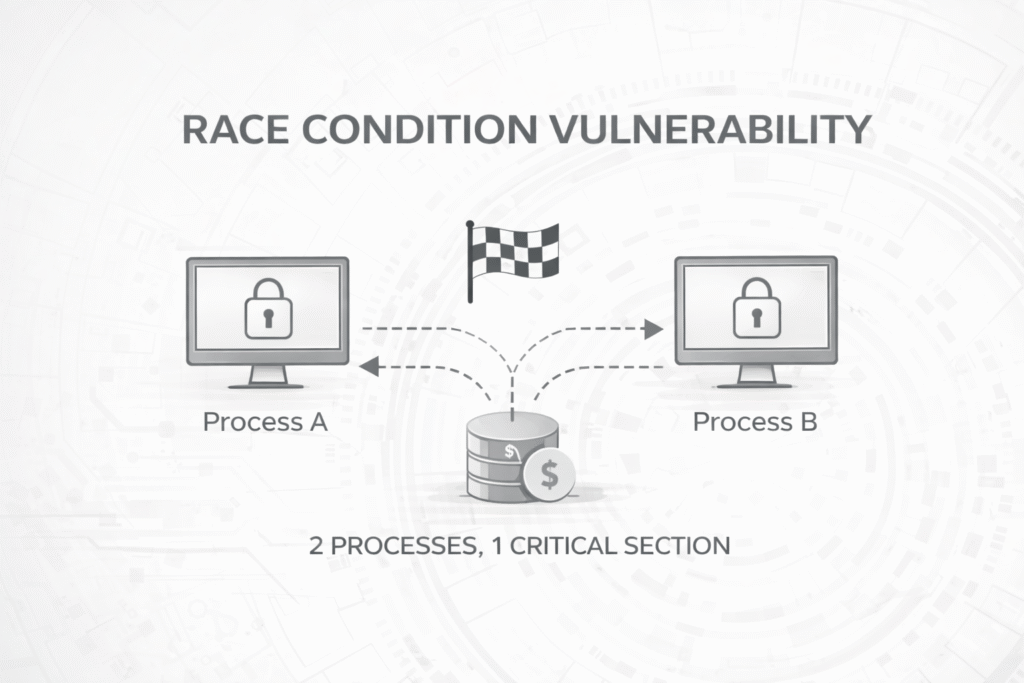
In cybersecurity, not every attack depends on breaking encryption or guessing passwords. Some attacks exploit something much simpler but very powerful: timing. One such vulnerability is known as a Race Condition. This vulnerability occurs when multiple users or processes try to access the same resource at the same time, and the application fails to handle these actions safely. Race Condition vulnerabilities are commonly found in web applications, operating systems, banking platforms, file-handling systems, and APIs. If left unprotected, they can result in unauthorized access, duplicate transactions, data corruption, or even complete system compromise. What Is a Race Condition? A Race Condition happens when the result of an operation depends on the order or timing of multiple events. If an application assumes that actions will occur one after another, but they actually happen at the same time, a vulnerability is created. Attackers exploit this by sending multiple requests very quickly, forcing the system to behave incorrectly. In simple terms: Real-Life Example of a Race Condition Imagine an online wallet system. Before transferring money, the system checks if your balance is sufficient. If two transfer requests are sent at the same time: As a result, the user withdraws more money than they actually had. This happens because the system failed to lock the balance while processing the first request. This exact logic flaw is what attackers exploit in real-world race condition attacks. How Race Condition Attacks Work Most race condition attacks follow a similar pattern: Because the system processes these requests in parallel, it cannot distinguish which request should be handled first. This creates an opportunity for attackers to bypass security controls. Common Types of Race Conditions 1. Time-of-Check to Time-of-Use (TOCTOU) This is the most common race condition. It occurs when: Attackers exploit the gap between the check and the action. 2. File-Based Race Conditions These occur when multiple processes read or write the same file. For example: An attacker may replace or modify a file before the system finishes processing it. 3. Database Race Conditions These occur when database operations are not atomic. Common examples include: Attackers can exploit these to perform actions multiple times. Where Race Conditions Are Commonly Found Any system that handles concurrent requests without proper controls is a potential target for race condition attacks. How Attackers Exploit Race Conditions Attackers use automation tools to send multiple requests at the same time. Instead of clicking buttons manually, they: The goal is to overwhelm the system and force it to process multiple actions simultaneously. Even a delay of a few milliseconds can be enough for exploitation. Impact of Race Condition Vulnerabilities If exploited successfully, race condition vulnerabilities can lead to: These vulnerabilities are often rated as high or critical because they directly impact system integrity. Why Race Conditions Are Hard to Detect Race conditions are difficult to identify because: A system may appear secure during normal testing but fail under high traffic or deliberate stress. How to Prevent Race Condition Vulnerabilities 1. Use Proper Locking Mechanisms Locks ensure that only one process can access a resource at a time. This prevents simultaneous execution of critical operations. 2. Use Atomic Operations Atomic operations complete fully or not at all. Databases provide transactions that help avoid race conditions. 3. Implement Server-Side Validation Never rely on client-side checks. All validations must be enforced on the server. 4. Rate Limiting Limit how many requests a user can send in a short period. This makes exploitation much harder. 5. Queue-Based Processing Critical actions should be placed in queues and processed sequentially instead of in parallel. Race Conditions in Modern Web Applications With the rise of APIs, microservices, and cloud-based systems, race conditions have become more common. Applications today handle thousands of concurrent requests, making synchronization more important than ever. Developers must design systems assuming that multiple actions can happen at the same time. Conclusion Race Condition vulnerabilities are not about complex hacking techniques. They exploit simple logic flaws caused by poor synchronization. Understanding how race conditions work is essential for: By using proper locking, atomic operations, and secure design principles, race condition vulnerabilities can be effectively prevented. In cybersecurity, timing matters — and even milliseconds can make a difference.

OTP Brute Force Attack & Rate Limiting Explained Simply

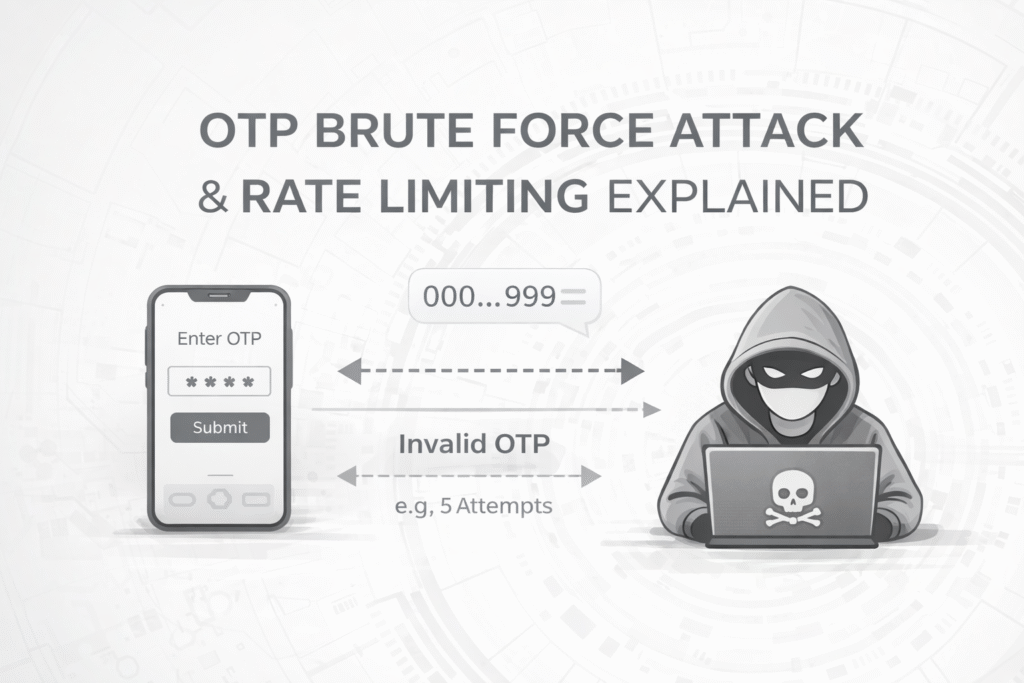
OTP Brute Force Attack and Rate Limiting – Simple Explanation Today, almost every application uses OTP for security. Banking apps, payment apps, social media platforms, and email logins all depend on OTPs. We usually believe OTPs are fully secure, but this is not always true. If the system behind OTP verification is weak, attackers can misuse it. What is an OTP? OTP stands for One-Time Password. It is a temporary code sent to a user to verify their identity. An OTP is valid for a short time and can be used only once. OTPs are commonly used for: Most people think OTPs are secure because they are random. But the real problem is not the OTP itself. The problem is how the server handles OTP verification. What is an OTP Brute Force Attack? An OTP brute force attack happens when an attacker tries many different OTP values again and again until the system accepts one. In this attack: The attacker only checks how many OTP attempts the system allows. Why Do OTP Brute Force Attacks Work? OTP brute force attacks work mainly because of missing or weak rate limiting. Many applications make these mistakes: So the weakness is not in the OTP length or randomness, but in the system logic. What is Rate Limiting? Rate limiting is a security rule applied by the server. It controls how many requests a user can make in a certain time. Examples of rate limiting: Rate limiting protects systems from abuse and automated attacks. Simple Example of OTP Brute Force Imagine an app with an OTP verification screen. The user enters the wrong OTP, and the system shows “Invalid OTP”. If the system allows unlimited OTP attempts, an attacker can keep trying different OTPs very quickly. Because the server does not stop these attempts, the attacker may eventually guess the correct OTP. Why Is OTP Brute Force Dangerous? If an OTP brute force attack is successful, an attacker can: For banking and fintech applications, this can result in serious damage. This Is a Logic Flaw, Not Traditional Hacking OTP brute force attacks do not depend on advanced hacking tools. They depend on weak system logic. The attacker: That is why OTP brute force is considered an authentication failure or a rate limiting failure. OTP Brute Force and OWASP OTP brute force issues are related to: This makes it a high-risk security issue. How Can OTP Brute Force Be Prevented? A secure OTP system needs more than just OTP generation. Best practices include: Security is not only about prevention, but also about detection and monitoring. Ethical and Legal Note Learning about OTP brute force attacks is important for security awareness. However, testing such attacks without permission is illegal and unethical. Always use this knowledge only for educational and defensive security purposes. Conclusion OTPs are secure only when implemented correctly. If rate limiting and attempt control are missing, even OTP-based systems can fail. OTP brute force attacks teach us an important lesson: security depends more on logic than on features. Every developer and cybersecurity learner should take OTP handling and rate limiting seriously. Disclaimer: This article is for educational purposes only.

ARP Explained: How Address Resolution Works — and Why ARP Spoofing Matters

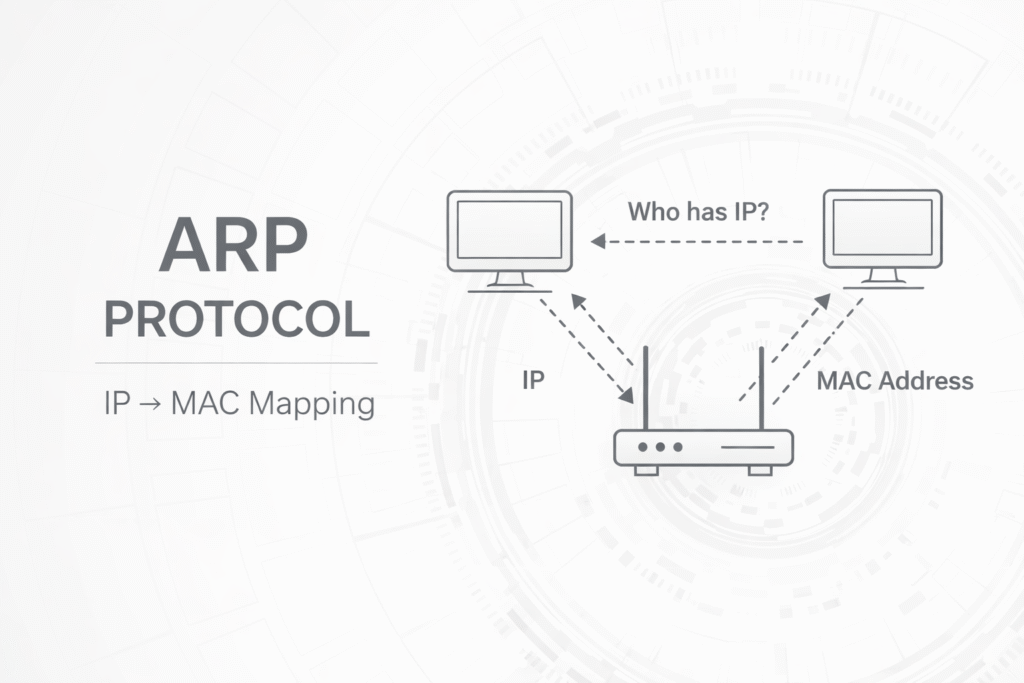
ARP (Address Resolution Protocol) is an important protocol used in computer networks. Its purpose is to find the MAC address of a device using its IP address, so that data can be delivered correctly within a local network (LAN). IP addresses are logical, while MAC addresses are physical. Since network communication happens based on MAC addresses, ARP is required to map IP → MAC. Why ARP Is Important Think of it like this: To deliver data correctly, the device needs the exact MAC address. How ARP Works (Simple Explanation) What Is the ARP Table? The ARP table is a small list stored in the device’s memory that contains IP → MAC mappings. How to View ARP Table What Is ARP Spoofing? (Man-in-the-Middle Basics) ARP does not verify whether responses are real or fake. It trusts devices blindly. An attacker takes advantage of this. The attacker sends fake ARP replies in the network claiming: “This IP belongs to me.” This allows the attacker to position themselves between the victim and the router. This is known as a: MITM (Man-in-the-Middle Attack) What Can Happen During ARP Spoofing? How to Detect ARP Spoofing How to Prevent ARP Spoofing Conclusion ARP is a simple but essential protocol for communication inside local networks. Understanding ARP helps in understanding network attacks like MITM, packet sniffing, and spoofing. Awareness is the first step to defense in cybersecurity.

Shopping Cart
Scroll to Top